Config reference
Every setting with its default, as the mod defines them. The server config and its examples explain them in more detail.
adjustability-server.toml
Server settings (config/adjustability-server.toml, per world in single player). Synced to players, so their Adjust panel shows the server's rules.
[items]
Which items can hold dormant enchantments.
| Key | Default | Allowed | Description |
|---|---|---|---|
mode | DENYLIST | DENYLIST, ALLOWLIST | DENYLIST: every item except those in #adjustability:not_adjustable. ALLOWLIST: only items in #adjustability:adjustable (and still not those in #adjustability:not_adjustable). The allowlist tag is empty by default. |
[exclusivity]
Which enchantments conflict, for Adjustability: they can be combined on one item, and only one of them is active at a time. Entries are enchantment ids and #tags separated by commas; a single #tag is a group of everything in it. Vanilla's enchanting table and /enchant still follow vanilla's exclusive_set; to change those, edit it in a datapack.
| Key | Default | Allowed | Description |
|---|---|---|---|
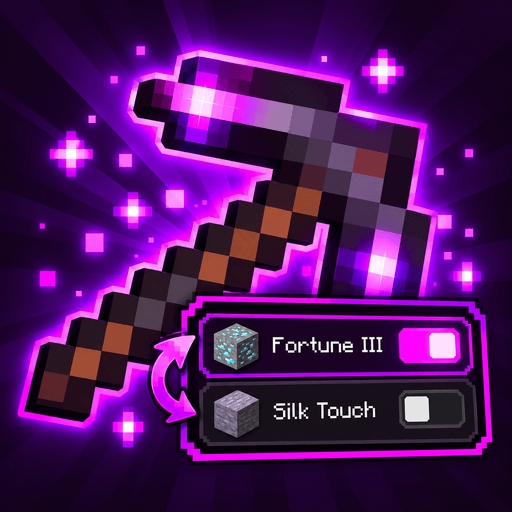
use_vanilla | true | true, false | Start from vanilla's exclusive_set (Fortune / Silk Touch, the Protections, ...). Off: only extra_groups conflict. |
extra_groups | [] | More groups of enchantments that conflict with each other, e.g. ["minecraft:sharpness, minecraft:fire_aspect"]. Modded enchantments work too. | |
compatible | [] | Enchantments that never conflict with each other here, whatever vanilla or extra_groups say, e.g. ["minecraft:infinity, minecraft:mending"]. With the anvil on, they can then be combined and are both active: they stack. |
[anvil]
Combining conflicting enchantments in an anvil. Which enchantments conflict comes from their exclusive_set; enchantments in #adjustability:not_combinable keep vanilla behavior.
| Key | Default | Allowed | Description |
|---|---|---|---|
enabled | true | true, false | Conflicting enchantments can be combined in an anvil: what was active stays active, the new conflicting ones become dormant. Off: vanilla behavior. |
combine_books | true | true, false | Two enchanted books with conflicting enchantments make one book that holds them all. Putting that book on an item splits them into active and dormant. |
dormant_cost_per_level | 1 | 0 – 100 | Extra anvil levels per level of each enchantment that becomes dormant, on top of vanilla's price. |
allow_too_expensive | false | true, false | The extra cost may take the price past vanilla's survival limit of 39 levels. |
max_dormant_per_item | 4 | 0 – 255 | Most dormant enchantments one item can hold. 0: no limit. |
max_conflicts_per_component | 0 | 0 – 255 | Most enchantments in one group of conflicting enchantments on an item (2 = at most two Protections on one armor piece). 0: no limit. |
[grindstone]
Grindstones.
| Key | Default | Allowed | Description |
|---|---|---|---|
remove_dormant | true | true, false | A grindstone removes dormant enchantments too. Off: they stay on the item while the active ones are removed, and become active again when nothing conflicts with them any more. |
[toggle]
Switching which enchantments are active.
| Key | Default | Allowed | Description |
|---|---|---|---|
enabled | true | true, false | Players can switch active enchantments. |
auto_fill | true | true, false | After a switch, dormant enchantments that no longer conflict with anything active become active again (switching a trident from Riptide to Loyalty brings Channeling back). |
cooldown_ticks | 20 | 0 – 72000 | Time a player waits between switches, in ticks (20 = 1 second). |
cost_type | NONE | NONE, XP_LEVELS, XP_POINTS, ITEM, DURABILITY | What a switch costs. Creative players switch for free. NONE, XP_LEVELS, XP_POINTS, ITEM (cost_item from the inventory) or DURABILITY. |
cost_amount | 1 | 0 – 10000 | How much of cost_type one switch costs. |
cost_item | minecraft:lapis_lazuli | The item a switch costs when cost_type is ITEM. | |
allow_in_world_cycle | true | true, false | The Cycle key works outside the inventory, on the held item. |
allow_command | true | true, false | Every player can use /adjustability toggle <enchantment>. |
group_costs | [] | Own costs for switching within particular groups, instead of cost_type / cost_amount / cost_item: "<ids and #tags> = <cost>", where <cost> is NONE, XP_LEVELS <n>, XP_POINTS <n>, DURABILITY <n> or ITEM <n> <item id>. E.g. ["#minecraft:exclusive_set/mining = ITEM 2 minecraft:lapis_lazuli", "minecraft:riptide = XP_LEVELS 5", "#minecraft:exclusive_set/armor = NONE"]. An entry covers a group if any of the group's enchantments matches; the first entry that covers it wins. Creative players still switch for free. | |
allow_none | false | true, false | A group of conflicting enchantments may have none of them active: the Adjust panel gets a None row per group and the Cycle key steps through none. Off: one of each group is always active (items left on none are fixed by their next switch). |
allow_switch_off | true | true, false | Enchantments that conflict with nothing can be switched off (and on again) in the Adjust panel, e.g. Knockback or a lone Silk Touch. Curses never. A switched-off enchantment stays off through anvils and repairs until it's switched on. |
panel_activation | PLAYER | PLAYER, TOGGLE, HOLD | How the Adjust key works for everyone on this server. PLAYER: each player's own choice ([panel] activation in their client file). TOGGLE or HOLD: that, for everyone. |
play_sound | true | true, false | Play a sound on a switch (adjustability:item.switch, for the player and anyone nearby). Players can turn it down with their Players volume. |
adjustability-client.toml
Player settings (config/adjustability-client.toml). Each player's own; also in game through the mod list or Mod Menu, and /adjustability panel for the panel.
[tooltip]
Item tooltips.
| Key | Default | Allowed | Description |
|---|---|---|---|
show_dormant | true | true, false | List dormant enchantments in the tooltip, each under the active one it conflicts with. |
show_hint | true | true, false | On items with dormant enchantments, show which key opens the Adjust panel. |
[hints]
Help discovering enchantment switching. Saved on this client, across worlds.
| Key | Default | Allowed | Description |
|---|---|---|---|
tutorial | OPEN_PANEL | OPEN_PANEL, SWITCH, DONE | Tutorial progress: OPEN_PANEL waits for an item with dormant enchantments, then shows a reminder until you open its panel. SWITCH waits for a successful panel switch, then shows the Cycle hint. DONE disables the tutorial. Updated automatically; /adjustability tutorial starts it again. |
slot_marker | true | true, false | Mark the corner of inventory slots holding dormant or switched-off enchantments. |
slot_marker_color | #FFFF55FF | The slot marker's color. |
[panel]
The Adjust panel, pinned next to an item with the Adjust key. Also with /adjustability panel. Colors are #RRGGBB or #AARRGGBB (AA = opacity, FF = solid).
| Key | Default | Allowed | Description |
|---|---|---|---|
activation | TOGGLE | TOGGLE, HOLD | How the Adjust key works. TOGGLE: press it to pin the panel, press it again (or Escape, or click outside) to close it. HOLD: the panel is open while you hold the key, and closes when you let go. |
side | AUTO | AUTO, RIGHT, LEFT | Where the panel opens: AUTO (right of the item, left if there's no room), RIGHT or LEFT. It always stays inside the screen. |
background_color | #F0080008 | The panel's background. | |
border_top_color | #C0FF00FF | The border at the top; it fades into border_bottom_color down the sides. | |
border_bottom_color | #C0A00090 | The border at the bottom. | |
show_brackets | true | true, false | Draw the bracket decorations at the panel's corners. |
bracket_color | #FFC71FC0 | The corner brackets. | |
bracket_length | 9 | 2 – 32 | Length of each bracket arm, in GUI pixels. |
highlight_color | #50FF00FF | Behind the row under the mouse. | |
active_color | #FFFF55FF | The mark in front of active enchantments. | |
show_cost | true | true, false | Show what a switch costs and the cooldown at the bottom. |
border_style | GRADIENT | GRADIENT, SOLID, NONE, SPRITE | GRADIENT: fades from border_top_color to border_bottom_color, like a tooltip. SOLID: border_top_color all around. NONE: no border. SPRITE: the adjustability:panel GUI sprite, which resource packs can replace (it includes the background, so background_color and the border colors aren't used). |
default_profile | `` | A panel profile /adjustability panel reset goes back to, instead of Adjustability's defaults: magenta, vanilla, minimal, high_contrast, or a file's name (without .json) in config/adjustability/panel_profiles. Empty: the defaults. For modpacks: ship the profile, set this, and ship this file with the profile applied. |
[panel.marks]
The mark in front of each row; active_color above colors the active one.
| Key | Default | Allowed | Description |
|---|---|---|---|
mark_style | adjustability:circle | adjustability:circle, square, checkbox, toggle (a switch), radio or text_only (no mark, only the text color). Other mods can add their own. | |
dormant_mark_color | #FFAAAAAA | The mark in front of dormant enchantments. | |
animate_marks | true | true, false | Animate a mark when its enchantment switches (a toggle's knob slides). |
[panel.text]
The item's name at the top, the rows and the cost line.
| Key | Default | Allowed | Description |
|---|---|---|---|
title_color | #FFFFFFFF | The item's name. | |
active_text_color | #FFFFFFFF | Active enchantments, and the row under the mouse. | |
dormant_text_color | #FFAAAAAA | Dormant enchantments. | |
footer_text_color | #FF808080 | The cost line, each group's cost and the group headings. | |
text_shadow | true | true, false | Draw the title and the rows with a shadow. |
show_title | true | true, false | Show the item's name at the top. |
show_item_icon | false | true, false | Show the item in front of its name. |
[panel.layout]
Spacing, and how the groups of conflicting enchantments are told apart.
| Key | Default | Allowed | Description |
|---|---|---|---|
padding | 5 | 2 – 16 | Space between the border and the text, in GUI pixels. |
row_height | 11 | 9 – 24 | Height of each row, in GUI pixels. |
group_style | LINE | LINE, GAP, NONE, HEADER | Between groups: LINE (a gap with a thin line), GAP, NONE, or HEADER (the group's name above it, like Mining). |
separator_color | #30FF00FF | The line between groups. | |
row_order | REGISTRY | REGISTRY, ALPHABETICAL, ACTIVE_FIRST | Order of the rows in a group: REGISTRY (the game's), ALPHABETICAL or ACTIVE_FIRST. |
none_row | LAST | LAST, FIRST | Where the None row goes when the server allows switching a group off: LAST or FIRST. |
singles | EXPANDED | EXPANDED, COLLAPSED, HIDDEN | The section for enchantments that conflict with nothing, which the server may let you switch off one by one: EXPANDED or COLLAPSED (how it starts; click its heading to fold it) or HIDDEN. |