Compatibility
Adjustability works on Minecraft 1.21.1 and 26.3 with Fabric (Fabric API, Forge Config API Port) and NeoForge (21.1.1 or newer for 1.21.1, 26.3.0.95 or newer for 26.3), on both the client and the server. Both versions have the same features.
Tested with
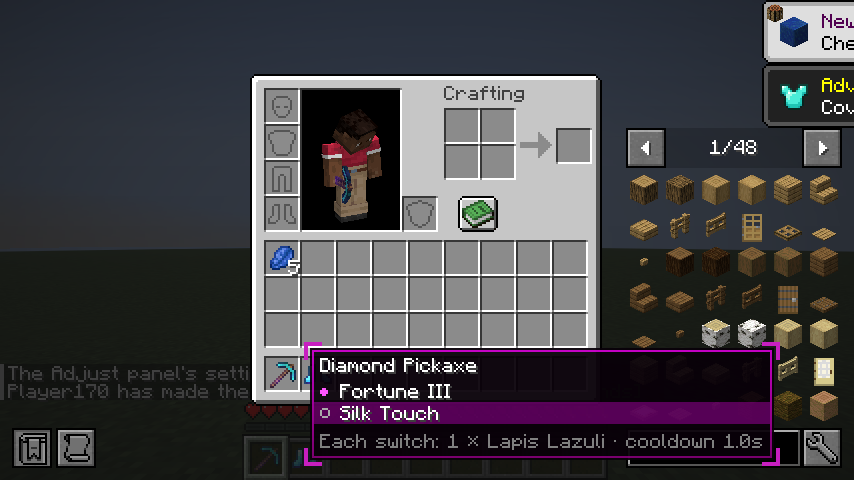
These mods were installed alongside Adjustability 0.1.0 on 26.3 and the mod's full automated test suite was run: the anvil, grindstone and switching tests on the server, and on Fabric the client test that opens the inventory, uses the Adjust panel, the Cycle key, hold mode and the None row in a real game client.
| Mod | Version | Loader | Result |
|---|---|---|---|
| Easy Anvils (+ Puzzles Lib) | 26.3.1 (26.3.15) | Fabric, NeoForge | Works: dormant enchantments, anvil prices and limits as without it |
| JEI (+ MezzConfig) | 31.16.0.89 (0.6.8) | Fabric, NeoForge | Works: the Adjust panel draws above JEI's item list; Left Alt and clicks reach the panel. Info pages on the anvils and the grindstone (after 0.1.0) |
| Mouse Tweaks | 26.3-2.31 | Fabric | Works: clicks on the panel don't reach Mouse Tweaks |
| Enchantment Descriptions (+ Bookshelf, Prickle) | 26.3.0.2 | Fabric | Works: descriptions show under active enchantments; dormant lines follow |
| AppleSkin | 3.0.10 | Fabric | Works |
| Enchantment Switch (+ Puzzles Lib) | 26.3.0 (26.3.15) | Fabric | Loads and every test passes (0.2.0). Its Edit Enchantments key is unbound by default, so Left Alt stays with Adjustability. Not tested: its menu on an item that also has dormant enchantments |
On NeoForge, only the server-side tests ran with these mods; NeoForge has no client test framework.
Known limits
- Mods that replace the anvil entirely can stop dormant enchantments from being made in it; switching still works on items that already have them, and
/adjustability addadds them by command. - Enchanting tables and
/enchantfollow vanilla's conflicts, not the server's[exclusivity]rules. - The creative inventory: the Adjust panel works on your own items (the hotbar, and every slot on the inventory tab), not on the creative tabs' items.
- Keys: Left Alt is the Adjust key by default. If another mod uses Left Alt in inventories, rebind one of them under Controls.
Found something that doesn't work together? Use the enchantment compat issue form.