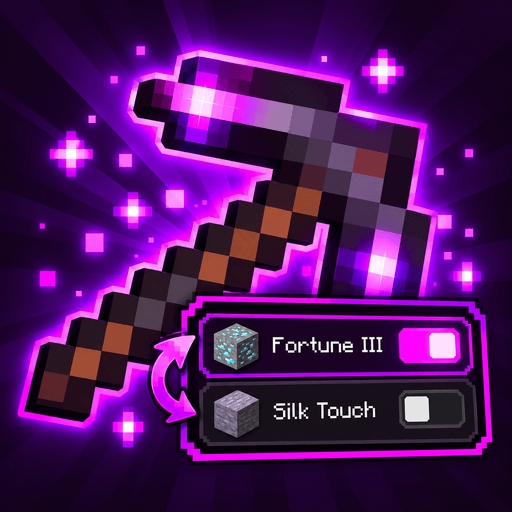
Panel styles
Every part of the Adjust panel's look is a player setting in config/adjustability-client.toml: the marks in front of the rows, the colors, the border, the spacing, and how groups of conflicting enchantments are told apart. Change them in game in the config screen (with YACL installed, it shows a live preview), or from chat with /adjustability panel. Player settings lists every key.
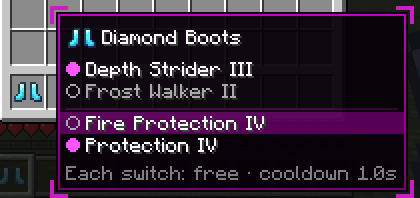
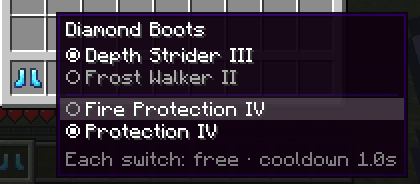
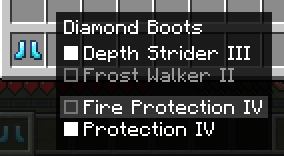
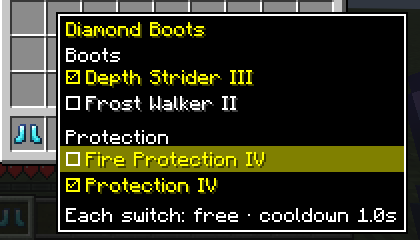
The pictures below are taken by the mod's client test, on diamond boots with two groups (the Protections, and Depth Strider or Frost Walker), the mouse on Fire Protection.
Profiles
A profile is a whole look: every look setting at once. Your key mode (activation) and side aren't part of it and stay as they are. Applying one copies its values into your settings; change anything afterwards as usual.
magenta (the defaults) | vanilla |
|---|---|
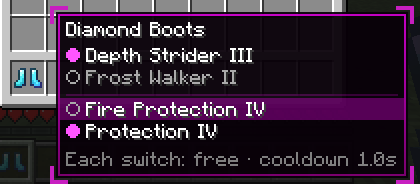 |  |
minimal | high_contrast |
 |  |
| Command | What it does |
|---|---|
/adjustability panel profile <name> | Applies a profile: a built-in one above, or a file's |
/adjustability panel save <name> | Saves your current look as config/adjustability/panel_profiles/<name>.json |
/adjustability panel export | Copies a share code for your current look to the clipboard (and shows it in chat) |
/adjustability panel import [code] | Applies the look from a share code; without one, from the clipboard |
/adjustability panel reset | Back to the defaults, or to the modpack's default_profile |
The YACL screen has the same: an Apply Profile button for each profile, Copy Code and Paste Code (from the clipboard). They change the values on the screen, which are saved when you press Save.
Share codes
A code like ADJ-0.4.2:q1bKTc... names the Adjustability version that made it and holds only the settings that differ from the defaults; settings it leaves out go to their defaults. Codes from older versions keep working; a code from a newer version works too unless that version changed the format, and then the message says to update. A look that changes many settings makes a code longer than the chat box takes, so /adjustability panel import with no code reads it from the clipboard. Codes are safe to paste: they can only hold the panel's look, every value is checked like the config file checks it, and anything this version doesn't know (a setting from a newer version, a mark from a mod you don't have) is skipped and named in chat, not applied.
Profile files
A profile file is a JSON object of settings by their keys in adjustability-client.toml; the ones it leaves out take their defaults. File names use a-z, 0-9, _, - and ., and can't be a built-in profile's name.
{
    "mark_style": "adjustability:toggle",
    "group_style": "HEADER",
    "background_color": "#F0000000",
    "show_brackets": false
}
For modpacks
- Make the look in game, then
/adjustability panel save mypack(or write the file by hand). - Ship
config/adjustability/panel_profiles/mypack.json. - Ship
config/adjustability-client.tomlwith the look applied anddefault_profile = "mypack"under[panel], so new players start with it and/adjustability panel resetcomes back to it.
Players can still apply any other profile or code; nothing locks the look.
Row marks
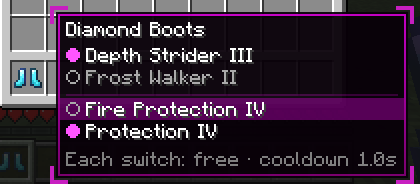
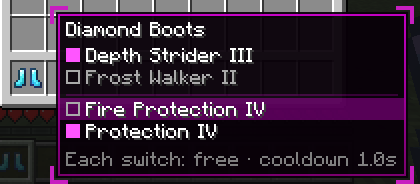
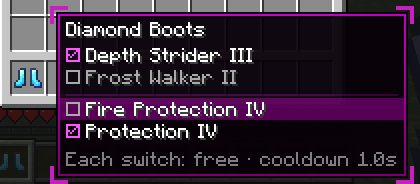
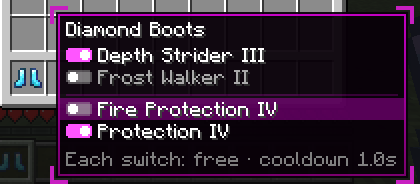
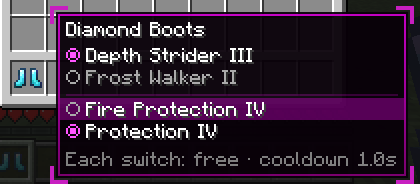
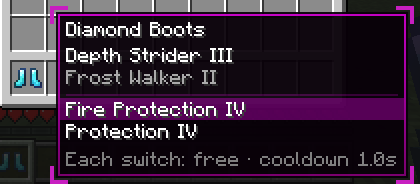
mark_style in [panel.marks] picks the mark in front of each row. Active ones use active_color, dormant ones dormant_mark_color. With animate_marks on, a mark fades (or a toggle's knob slides) when its enchantment switches.
adjustability:circle (default) | adjustability:square | adjustability:checkbox |
|---|---|---|
 |  |  |
adjustability:toggle | adjustability:radio | adjustability:text_only |
 |  |  |
Other mods can add marks; they show up in the same list. See the Java API.
Groups
group_style in [panel.layout] sets what goes between groups: LINE (the default, a thin line in separator_color), GAP, NONE, or HEADER, a heading with the group's name. Vanilla's groups are named (Mining, Protection, Boots, Damage, Bow, Crossbow, Trident); a modded group gets the last word of its exclusive-set tag, or its first enchantment's name. With different costs per group, the cost goes on the heading.
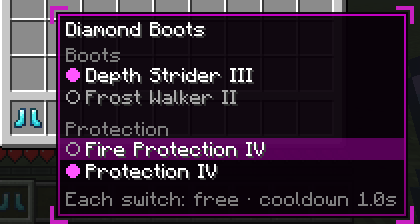
row_order sorts the rows in a group (REGISTRY, ALPHABETICAL or ACTIVE_FIRST), and none_row puts the None row FIRST or LAST when the server allows switching a group off.
Enchantments that conflict with nothing get their own section after the groups, Other enchantments, with a heading that's always shown (it folds the section). singles sets how it starts: EXPANDED (the default), COLLAPSED, or HIDDEN to leave it out.
Border and resource packs
border_style in [panel] is GRADIENT (the default, like a tooltip), SOLID, NONE, or SPRITE. SPRITE draws the adjustability:panel GUI sprite instead of colors: a nine-sliced 16 × 16 texture at assets/adjustability/textures/gui/sprites/panel.png. A resource pack can replace it (and its .mcmeta) to restyle the panel; the sprite includes the background, so background_color and the border colors don't apply with it. The corner brackets are separate (show_brackets).
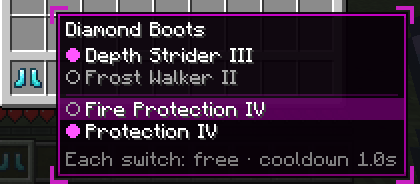
Text and layout
[panel.text] has the title, row and cost-line colors, text_shadow, show_title and show_item_icon (the item in front of its name). [panel.layout] has padding and row_height.